
Phonak accessories for hearing aids
This page is for people already wearing Phonak hearing aids who still struggle with one specific situation: television, a one-to-one conversation in noise, a work meeting or a group meal. Each accessory addresses one of those situations by bringing the voice or the sound straight into your devices. All of them are available in our Morges and Vevey centres, for collection on site or postal delivery.
Prices include VAT. Collection in Morges or Vevey, or postal delivery.
Compatibility and ordering
Contact us before ordering so we can check that your hearing aids are compatible with the accessory.
Once compatibility is confirmed, you choose the option that suits you best: we can send the accessory to you by post, so you can easily pair it with your hearing aids at home, or you can come and buy it in our centre by appointment.
When you buy on site, we take care of every connection and of the pairing with your hearing aids. We also give you a full, personalised demonstration to make sure you are comfortable using your new accessory.
If it is sent by post and you need help with the setup or the pairing, we can also guide you over the phone, step by step.
Trial, collection and payment
You can try an accessory in our centres before buying it. The trial period is about 10 days.
When you collect it, we check the product with you. You pay after trying: if you have already tried the accessory, you pay when you collect it.
Payment is made in cash, by card or on invoice payable within 20 days.
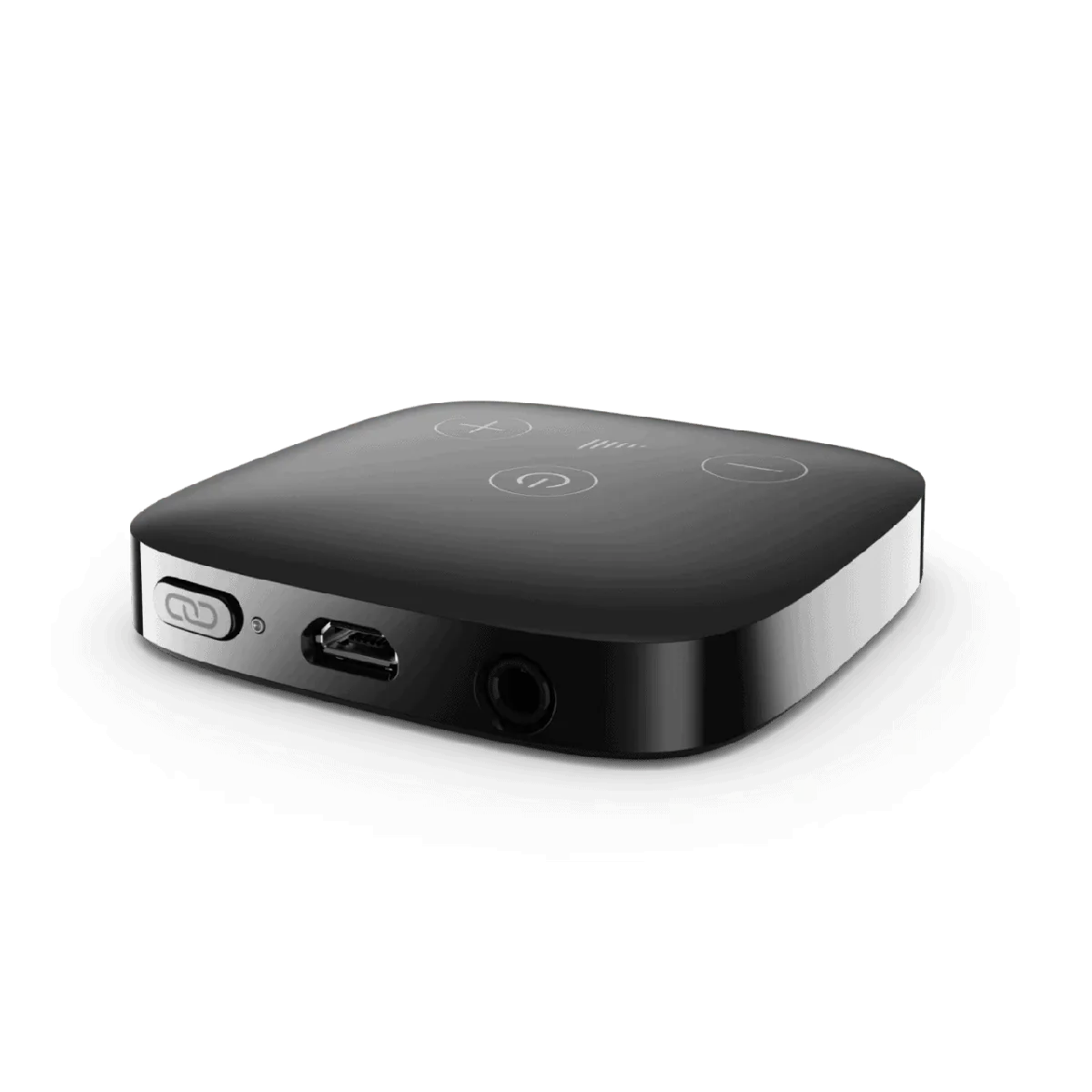
Phonak TV Connector
CHF 180
You turn the television up and the rest of the household finds it too loud. This transmitter sends the TV sound straight into both of your hearing aids.
Once connected to the television, the device streams the sound into both ears. Your hearing aids become a wireless headset. Phonak AirStream technology handles the transmission.
Streaming works over a long distance, so you can leave the sofa without losing the sound. Volume control is personal, and several people wearing compatible hearing aids can listen to the same stream at the same time. Connecting it is simple and power consumption is low.
Key points
- Long-distance streaming
- Personal volume control
- Several listeners on the same stream
- Energy efficient
- 2-year warranty
How do you connect it to your television?
Plug the transmitter into a power socket, then connect it to your television: either with the TOSLINK optical cable, or with the 3.5 mm audio jack cable, depending on the connections available on your television.
Once it is set up, the television sound is sent straight to your hearing aids, wirelessly.
How do you connect or reconnect your hearing aids?
Simply press the «Pair» button on the side of the transmitter and wait for the light to flash blue. Then hold the transmitter close to one of your hearing aids. Once the connection is made, your devices give two confirmation beeps.
If the connection fails, repeat the procedure. If you still cannot connect your devices, contact us and we will gladly help you.
What does your purchase include?
Warranty: 2 years.
- 1 television transmitter
- 1 TOSLINK optical cable
- 1 3.5 mm audio jack cable
- 1 USB power cable with mains adapter
- 1 user guide
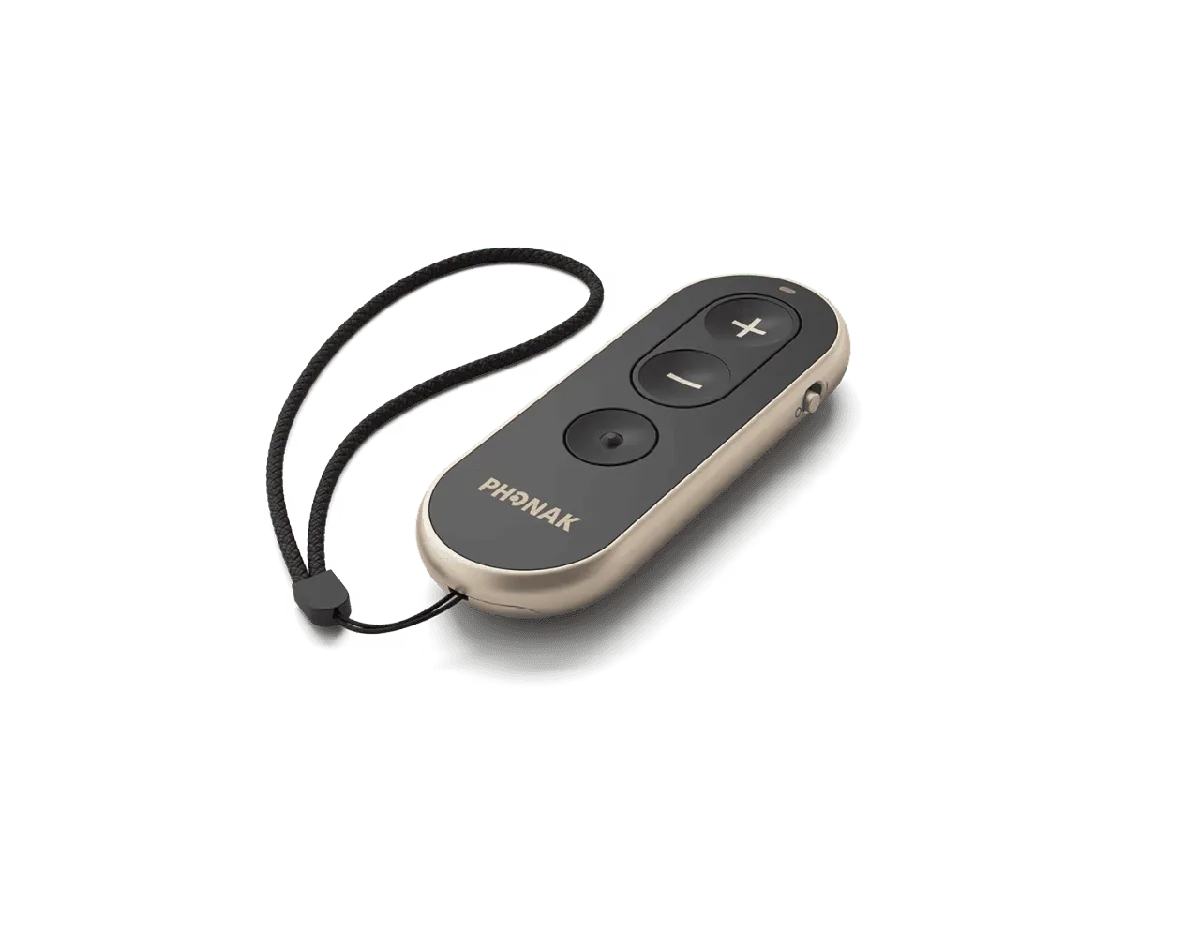
Phonak RemoteControl
CHF 260
You would rather not reach up to your ear in public. This remote adjusts your Phonak hearing aids with a single press, discreetly.
Three large buttons give access to the main functions: raise or lower the volume, and change audio programme. The casing has a touch-sensitive design and the adjustments stay discreet.
Once connected, it controls both hearing aids at the same time.
Key points
- Three large buttons
- Volume control and programme change
- Touch-sensitive design
- Controls both devices at the same time
- 2-year warranty
Which hearing aids is it compatible with?
It is compatible with the following Phonak hearing aids: Sphere; Infinio, except the Virto I-10; Lumity; Terra+.
It is not compatible with the Virto-10 or the Terra.
How do you use it?
Three buttons are all you need: «+» to raise the volume, «-» to lower it, and the central button to change programme.
Switch the remote on with the slider on its side. Once connected, it controls both hearing aids simultaneously.
How do you connect or reconnect it?
Once the connection is made, the remote remembers your devices and reconnects automatically the next time you use it. If you cannot connect it, contact us and we will gladly help you.
- 1. Press the «+» button and switch the remote on at the same time.
- 2. Wait for the light to flash blue, then hold the remote close to your hearing aids.
- 3. The remote connects to one hearing aid at a time. Repeat the procedure for the second device if needed.
Power supply and battery replacement
The remote runs on a CR2032 (3 V) lithium coin cell, user-replaceable and not rechargeable. The battery usually lasts about 1 year, depending on how often you use it.
With a small tool, press the button on the back of the remote, then slide the cover open. Take out the used battery and replace it with a new CR2032 (3 V) coin cell, matching the polarity shown, then put the cover back.
The used battery cannot be reused: take it to a collection point for battery recycling.
What does your purchase include?
Warranty: 2 years.
- 1 remote control
- 1 user guide
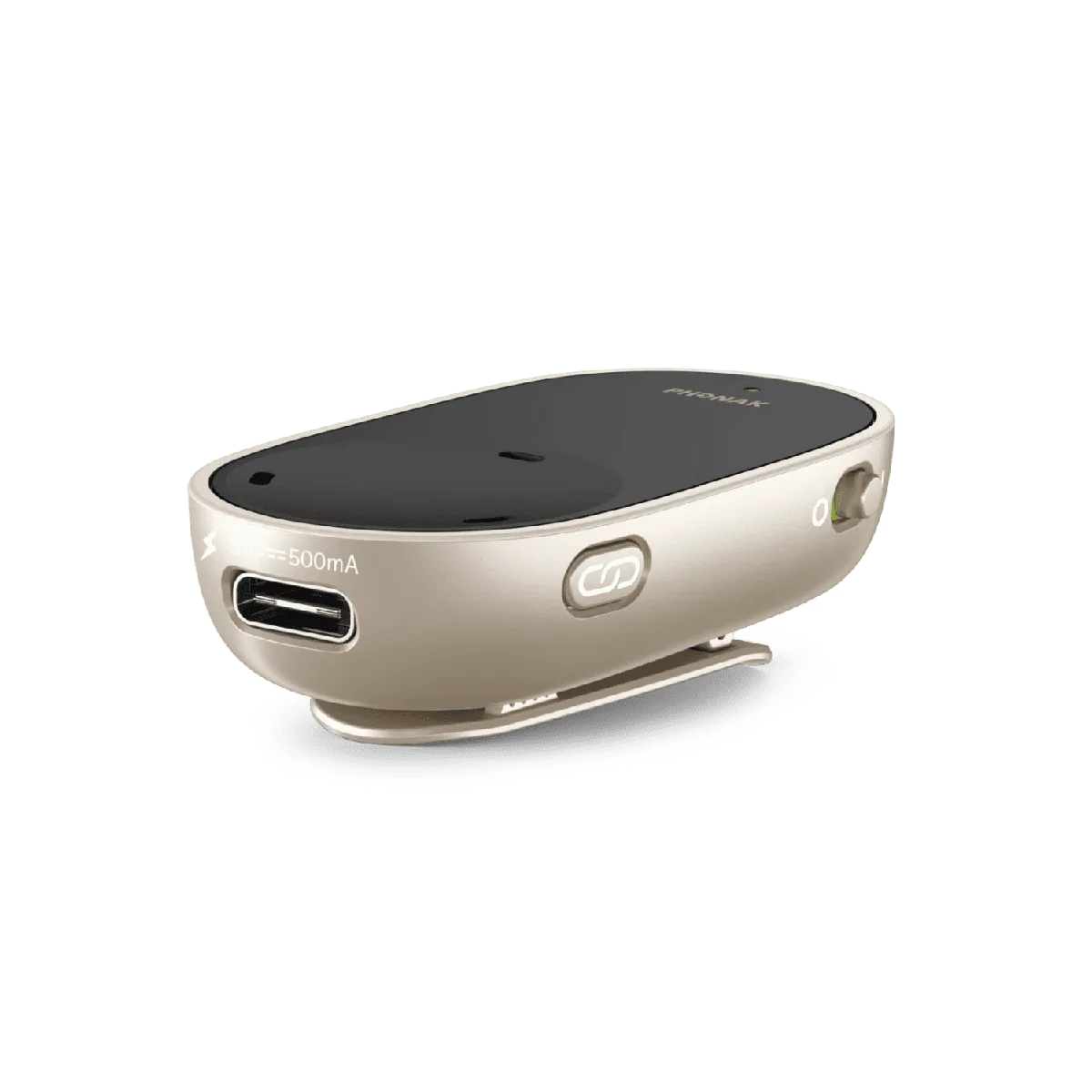
Phonak PartnerMic
CHF 320
Face to face in a busy place, the voice of the person with you gets lost. This small wireless microphone clips onto their lapel and sends their voice straight to you.
The microphone attaches to the clothing of the person speaking. It is always directional, so you do not need to worry about how it is angled: you simply switch it on. Speech is streamed directly into your hearing aids through Phonak AirStream technology, with nothing else to do.
It is designed for one-to-one conversations, especially in noisy environments.
Key points
- Clips onto the lapel of the person speaking
- Always directional
- Instant AirStream connection
- Range of about 25 metres
- Up to 6 hours of use
- 2-year warranty
Which hearing aids is it compatible with?
It is compatible with: Sphere; Infinio, except the Virto I-10; Lumity; Terra+.
It is not compatible with the Terra or the Virto-10.
How do you use it?
Clip the microphone onto the clothing of the person you are talking to, ideally about 20 cm from their mouth, then switch it on. Their voice is then sent straight to your hearing aids.
It works up to a distance of about 25 metres between the two of you.
How do you connect or reconnect it?
Switch the microphone on and press the connection button. Wait for the light to flash blue, then hold it close to one of your hearing aids.
Once the connection is made, your hearing aids give a confirmation sound. The microphone then remembers your devices for later use.
If the connection fails, repeat the procedure. If you still cannot connect it, contact us and we will gladly help you.
How do you charge it?
Connect the microphone to a power source with the USB cable supplied. When the battery is completely empty, allow about 2 hours for a full charge.
A full charge gives up to 6 hours of use, depending on conditions and use.
What does your purchase include?
Warranty: 2 years.
- 1 microphone
- 1 USB charging cable
- 1 neck lanyard
- 1 protective case
- 1 user guide
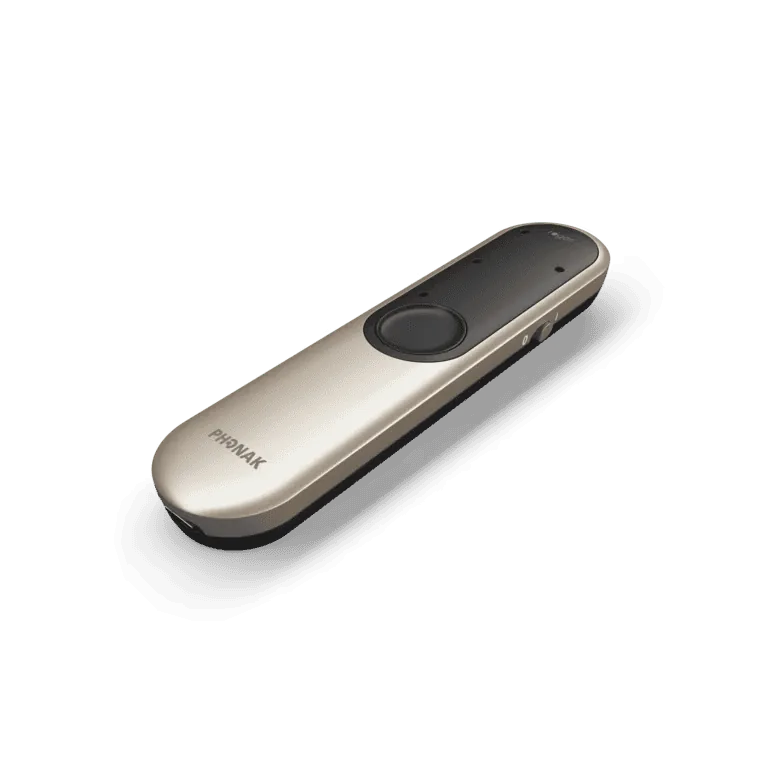
Phonak Roger On V3
CHF 2'000
Family meals, meetings, a restaurant table: speech comes from everywhere. This versatile wireless microphone follows whoever is talking and gives the conversation back to you.
The microphone improves speech understanding, especially in noise and at a distance. Depending on the situation you can set it on a table, have the person you are talking to wear it, or point it at whoever you want to hear: it adapts its microphones automatically to the way it is used.
It recognises whether a voice comes from the left or the right and passes on those spatial cues, which helps you know where to look. The number of built-in receivers is unlimited, so the device can be shared within a group. It also works as a headset for online calls, in work meetings as much as with distant family.
The casing is splash-resistant and the screen is scratch-resistant.
Key points
- Speech understanding in groups
- Left/right direction recognition
- Automatic active-speaker selection
- Unlimited built-in receivers
- Works as a headset for online calls
- Splash-resistant, scratch-resistant screen
- 2-year warranty
Which hearing aids is it compatible with?
Thanks to RogerDirect technology, it can send sound directly to compatible Phonak hearing aids. It is notably compatible with: Sphere; Infinio; Lumity; as well as several earlier generations of Phonak devices fitted with RogerDirect.
It can also be used with many other hearing aids and cochlear implants with a compatible Roger receiver. If you are unsure about compatibility with your devices, contact us before buying.
How do you use it?
Its range can reach about 25 metres in optimal conditions. Walls, people and other obstacles can reduce that distance.
- On a table: set it in the middle of the table during a meal or a meeting, it detects who is speaking and adjusts the direction of its microphones automatically.
- Worn by a person: clip it onto their clothing or use the neck lanyard to send the voice of the person with you straight to your devices.
- In pointing mode: hold it in your hand and aim it at the person you want to hear, particularly useful in noisy places or when several people are present.
How do you connect it to your hearing aids?
The first connection must be made with RogerDirect or a compatible Roger receiver. Then hold the microphone less than 10 cm from one of your hearing aids and press its connection button.
When the connection succeeds, a confirmation symbol appears on the microphone for a few seconds and you hear a confirmation beep in your hearing aids.
Repeat the procedure if needed. If you cannot establish the connection, contact us and we will gladly help you. Once it is set up, the microphone recognises your devices for later use.
How do you charge it?
It has a built-in rechargeable battery. You can charge it directly with its USB-C cable, or by placing it in its docking station.
When the battery is completely empty, allow about 3 hours for a full charge with the charger supplied. After about 1 hour, the battery already reaches about 80%.
A full charge gives up to 8 hours of continuous use with hearing aids using RogerDirect. Battery life can vary with the setup and the use.
Connecting to a television or another audio source
The docking station can also be connected to a television or another audio source. It accepts a TOSLINK optical connection and a 3.5 mm analogue audio jack connection. The sound can then be sent straight to your hearing aids.
The microphone can also be connected to a computer over USB-C, in particular to listen to sound and take part in online calls.
What does your purchase include?
Warranty: 2 years.
- 1 microphone
- 1 docking station
- 1 power supply and USB-C charging cable
- 1 audio cable
- 1 TOSLINK optical cable
- 1 neck lanyard
- 1 protective case
- Documentation and user guide
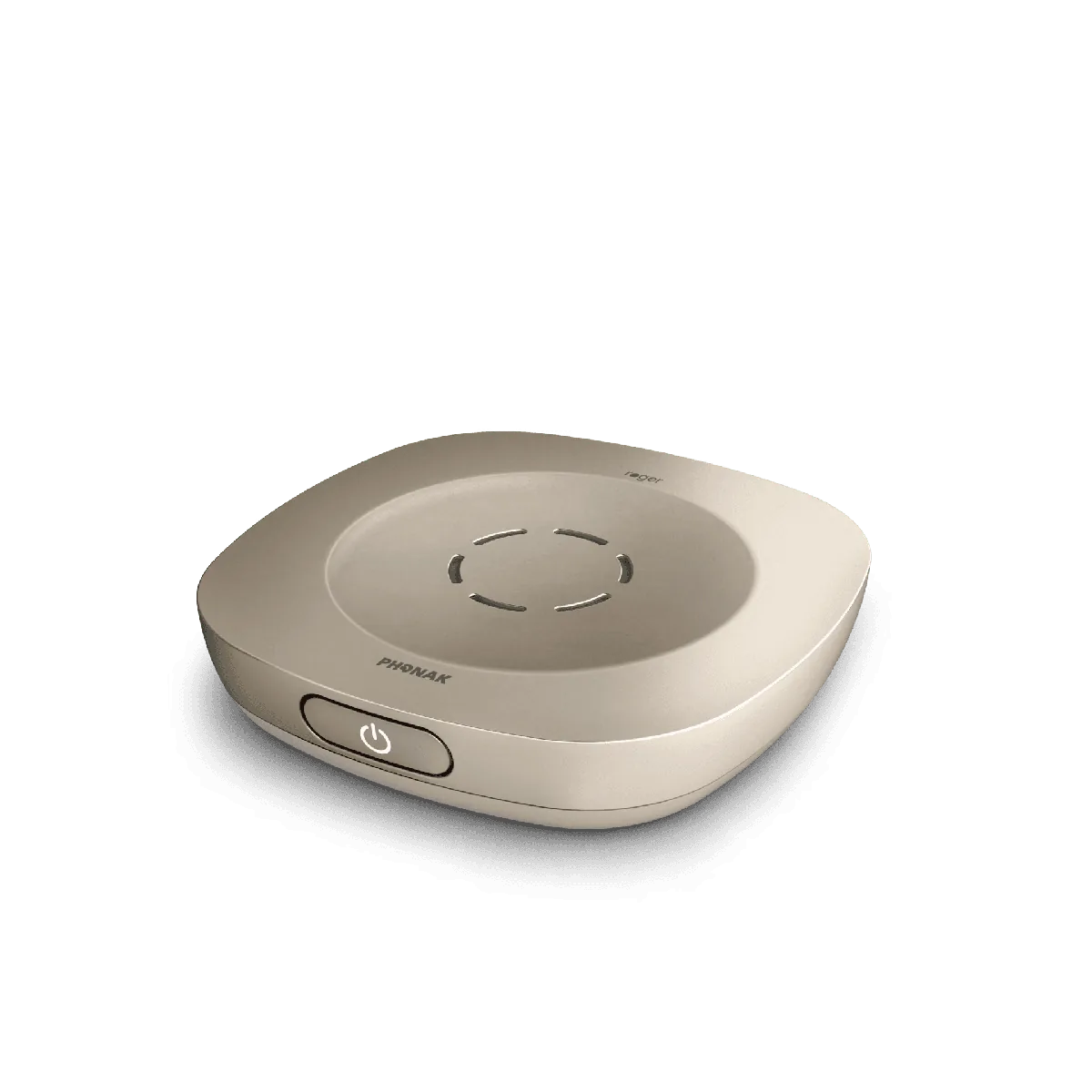
Phonak Roger Table Mic V3
CHF 2'000
You often take part in meetings and lose half of what is said. This table microphone is designed for exactly those situations.
Placed in the middle of the table, this wireless microphone automatically picks up the voices of the people around it and sends them straight to your hearing aids, in a work meeting, at a conference or over a meal. The aim is simple: understand the discussion and be able to take part in it.
Several Roger table microphones can be linked together to form a MultiTalker network. The number of built-in receivers is unlimited.
The microphone also connects to a computer or a phone for online meetings and calls.
Key points
- Unlimited built-in receivers
- Clearer distant voices
- MultiTalker network across several microphones
- Connects to a computer or a phone
- Range of about 40 metres
- About 16 hours of use
- 2-year warranty
Which hearing aids is it compatible with?
Thanks to RogerDirect technology, the microphone can send sound directly to Phonak hearing aids that are compatible with Roger. It is notably compatible with: Sphere; Infinio; Lumity; as well as several earlier generations of Phonak devices fitted with RogerDirect.
It can also be used with many other hearing aids or cochlear implants with a compatible Roger receiver. If you are unsure about compatibility with your devices, contact us before buying.
How do you use it?
Switch the microphone on and set it in the middle of the table, as close as possible to the people you want to hear. For better speech understanding, avoid placing it near noise sources such as a computer or a projector.
Its range can reach about 40 metres in optimal conditions. Walls, people and other obstacles can reduce that distance.
A remote control can be supplied at extra cost. It lets you mute the microphone and narrow its pick-up area when you want to focus on the people closest to you.
How do you connect it to your hearing aids?
The first connection must be made with RogerDirect or a compatible Roger receiver. Switch on the microphone and your hearing aids, then hold the microphone less than 10 cm from one of your hearing aids and press its connection button.
When the connection succeeds, the indicator light turns green for about two seconds and you hear a confirmation beep in your hearing aids.
Repeat the procedure if needed. If you cannot establish the connection, contact us and we will gladly help you.
How do you charge it?
The microphone has a built-in rechargeable battery. To charge it, plug the micro-USB cable supplied into the microphone, then connect the other end to the power supply.
When the battery is completely empty, allow about 4 hours for a full charge. A full charge gives about 16 hours of use, depending on the conditions of use.
Connecting to a computer, a phone or another audio source
The microphone can also carry sound from a computer, a phone, a tablet or another multimedia device. Simply plug the audio cable supplied into the AUX input of the microphone and into the audio output of your device. The sound is then sent straight to your hearing aids.
What does your purchase include?
Warranty: 2 years.
- 1 microphone
- 1 power supply
- 1 USB/micro-USB cable
- 1 audio cable
- 1 soft case
- 1 user guide
Order online or come to a centre
If you already know which accessory suits you, the order form is enough: we reply within 24 working hours and you choose collection in Morges or Vevey, or postal delivery. If you are torn between two devices, unsure which one matches your listening situation, or would rather talk it through before deciding, come to a centre instead.
Frequently asked questions
How do I order an accessory on this site
Every product on this page has its own Order button. The form opens already filled in with the product you picked: you enter the quantity, your contact details and how you would like to receive it. This is an order request, not an online payment. We reply within 24 working hours to confirm.
Can I collect my order in a centre
Yes. The form lets you choose between collection in Morges, collection in Vevey and postal delivery.
Is payment made online
No. This site takes no payment. Your request reaches us and we confirm it within 24 working hours.
Can I try an accessory before buying it
Yes. You try it in our centres, with a trial period of about 10 days. You pay after trying, in cash, by card or on invoice payable within 20 days; when you collect it, we check the product with you.
Which accessory is for television and which one for meetings
For television, the transmitter that sends the TV sound into both hearing aids. For a one-to-one conversation, the microphone that clips onto the lapel of the person speaking. For meetings and group meals, the Roger microphones, including the table version that sits in the middle of the table.
Do the accessories work with my current hearing aids
Compatibility depends on the model you wear: each product section lists the ranges covered in its «Which hearing aids is it compatible with?» block. Contact us before ordering so we can check that your hearing aids are compatible with the accessory you choose.
Not sure which accessory you need
Let's talk it through in Morges or Vevey, with your hearing aids and your listening situations. Appointments are booked online.